
Auto-forwarding rules in email clients like Outlook or Gmail are often used for convenience—like sending invoices to accounting or copying alerts to a secondary inbox. But what many users don’t realize is that this small feature can become a major security vulnerability.
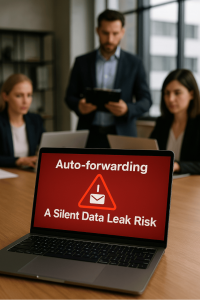
Cybercriminals who gain access to a mailbox don’t always go straight for the data. Instead, they often set up quiet forwarding rules that send copies of emails to an outside address—sometimes for weeks or months—without triggering alarms. These messages can include anything from internal conversations and client info to invoices, login links, and credentials.
Even more concerning is that this tactic isn’t just used by attackers—disgruntled insiders or departing employees can exploit forwarding rules to take sensitive data with them, and most users never think to check if these rules exist.
To reduce the risk, IT teams should routinely audit inbox rules for key users, especially those in finance, leadership, or HR. Many organizations now block external auto-forwarding by default using Microsoft 365 or Google Workspace admin controls, which is a smart move. And if you use monitoring or SIEM tools, it's worth setting alerts for new forwarding rules—especially if they point to personal or unfamiliar domains.
Lastly, remind users that work emails should stay within the company ecosystem. Using personal accounts for business matters—even for “just in case” backups—is one of the easiest ways to lose control of sensitive data.