
You might be familiar with the topic, since we addressed it May 2025, but QR code phishing — "quishing" — rose 146% in Q1 2026 alone, part of a broader wave of 8.3 billion email-based phishing threats Microsoft detected in that same quarter, with 10.7 million directed specifically at business email accounts (TechRadar, 2026). Attackers are shifting to QR codes for a specific reason: they slip past the email security tools businesses already rely on.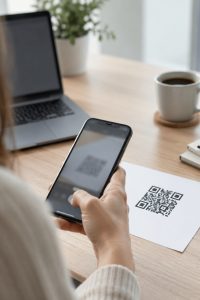
Why Does a QR Code Get Past Security Software That Would Catch a Normal Phishing Link?
Email security tools are built to scan text and links, but most struggle to analyze an image containing an embedded QR code the same way, letting a malicious destination hide in plain sight inside what looks like an ordinary graphic (TechRadar, 2026). Attackers have also changed delivery methods to maximize this blind spot — March 2026 saw a 336% surge in QR codes embedded directly in email bodies rather than sent as attachments, removing the one signal (a suspicious attachment) that security training has taught people to watch for.
Why Is Scanning the Code Itself More Dangerous Than Clicking a Bad Link?
Scanning a QR code typically means pulling out a personal phone to do it, which moves the entire interaction off the company laptop and outside every enterprise security tool protecting that device — web filtering, endpoint detection, managed browser protections — none of which travel with you to a personal phone's camera app (TechRadar, 2026). An employee who would never click a suspicious link on their monitored work computer will often scan the exact same malicious destination without a second thought, simply because it arrived as an image instead of clickable text.
What Do These Attacks Actually Look Like in an Inbox?
Common examples impersonate routine business communications: a "failed delivery, scan to reschedule" notice, a fake multi-factor authentication re-enrollment prompt, a mock invoice requiring a QR scan to view the full amount, or a benefits/HR notice asking employees to scan a code to update direct deposit information. The pattern across all of them is the same — a plausible, slightly urgent business reason to scan a code rather than click a link, specifically because the code can't be easily previewed or hovered over the way a URL can.
How Should a Business Actually Defend Against This?
Awareness training needs to explicitly include QR codes as a phishing vector, not just suspicious links and attachments, since most existing security training still frames phishing purely around clickable links. Beyond training, a simple standing policy helps: no QR code arriving by email should be scanned on a personal device for anything involving credentials, payment, or account changes — if a scan seems necessary, the destination should be verified independently first, such as navigating directly to the known, correct website instead of trusting the code. Technically, email security platforms are increasingly adding QR-code-specific scanning, so it's worth confirming with your email security vendor whether that capability is enabled rather than assuming standard link-scanning already covers it.
Frequently Asked Questions
What is quishing?
Quishing is phishing conducted through a malicious QR code instead of a text-based link, usually embedded in an email, designed to redirect a scan to a fake login page or malware download.
Why did QR code phishing increase so much in 2026?
Attackers are adapting to improved email security that catches traditional text-based phishing, and QR codes currently slip past most automated scanning tools while also moving the interaction to an unmonitored personal device when scanned.
Is it safe to scan any QR code from a work email?
Treat any QR code in a business email with the same suspicion as an unexpected link — verify the sender and the legitimate destination independently rather than scanning and trusting the code, especially if it asks for credentials, payment information, or account changes.
Does standard email security software catch malicious QR codes?
Not reliably by default. Many platforms are adding QR-code-specific detection, but it's not guaranteed to be included in a standard phishing filter — confirm with your email security provider whether QR scanning is an active feature.
Should phishing awareness training be updated to cover QR codes?
Yes. Most existing training focuses on suspicious links and attachments, and employees who are well-trained to avoid bad links often have no equivalent instinct for QR codes, making this an easy gap for attackers to exploit.