
Ransomware can stop a factory without ever reaching the machines on the floor. In the second quarter of 2026, industrial security firm Dragos found no case where attackers manipulated a control system, yet production still stopped because ERP and virtualization systems were encrypted or shut down to contain the attack. For Bay Area manufacturers, protecting the IT systems the plant depends on is the fastest way to protect production.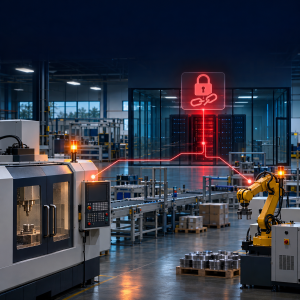
What happened
In August, Dragos published its Industrial Ransomware Analysis for Q2 2026. It counted 1,140 ransomware incidents affecting industrial organizations worldwide, a 12% increase over the 1,020 recorded in the first quarter. Manufacturing was hit hardest, with 747 incidents, about 65% of the total.
Construction-related manufacturers were the largest subsector, with 176 incidents, and engineering firms, integrators, and industrial equipment makers accounted for another 117. Dragos counts publicly disclosed victims and ransomware leak site claims, not every attack.
The key finding: Dragos saw no Q2 case where attackers reached or manipulated a control system. When production stopped, it was because ransomware encrypted the enterprise and virtualization systems plant operations rely on, or because companies took those systems offline on purpose to contain the damage.
The most active groups targeting industrial organizations were Qilin (140 claims), Akira (129), and The Gentlemen (125).
On August 28, 2026, MedTech Dive reported that a cyberattack had affected Boston Scientific's ability to manufacture products and to process and ship customer orders. The company was in a network outage and had no timeline for full restoration at the time of the report. It could still accept orders electronically, but only to hold them in a queue for later fulfillment.
Why this matters for Bay Area manufacturers
Small and midsize plants in Silicon Valley and the East Bay depend on a handful of IT systems. Losing any one can idle the line:
- Work orders, bills of materials, inventory, and shipping live here.
- Virtualization hosts. File servers, MES, and license servers often run as virtual machines on one or two hosts. Encrypt the host and they all go down.
- Active Directory and Microsoft 365 sign-in control access to everything else.
- Remote access. The VPNs and remote tools staff and vendors use.
- Dragos describes an Akira intrusion where attackers spent days stealing credentials and destroying backups before deploying ransomware.
Dragos concludes that these systems are high-value targets because disrupting them cascades into production shutdowns. The good news for companies without an OT security person: the systems that matter most are ones your IT team or partner already manages.
The four common doors in
- Internet-facing edge devices. VPN concentrators, firewalls, and appliance management pages that can be reached from the internet. Dragos found these were the main technical entry point in Q2.
- Remote access tools. Attackers exploit vulnerable versions of tools like SimpleHelp, or talk employees into installing AnyDesk or Quick Assist. Legitimate tools do not look like malware.
- Stolen or valid credentials. In one Akira case, the way in was an old VPN account without multi-factor authentication (MFA).
- Fake IT support calls. Attackers contact employees on Microsoft Teams, pose as the internal help desk, and walk them through a screen share to install a remote tool.
What to do this week
- Audit VPN and edge devices. List everything reachable from the internet. Patch it, take management pages off the public internet, and disable old VPN accounts.
- Restrict and log remote tools. Approve one remote support tool and block the rest. Log every session and alert on new installs or odd-hour use. Attackers often spend days inside before encrypting, and unusual remote tool activity is a clear warning sign.
- Enforce MFA everywhere. VPN, email, admin accounts, remote tools, and vendor accounts.
- Verify you can restore ERP and virtual servers from backup. Run an actual test restore and time it. Keep at least one copy offline or immutable so an attacker with admin rights cannot delete it.
- Train staff on fake IT support calls. Tell everyone that IT will never cold-call them on Teams to install software. Use a callback rule to verify any support request.