
Resources: Industrial IT
IT vs. OT in Manufacturing: What Industrial IT Means and Why It Matters
For decades, the computers in the office and the machines on the floor were separate worlds, run by different people with different goals. That separation has mostly disappeared. This guide explains what IT and OT are, how they differ, why they now depend on each other, and what that means for uptime, security, and the way your ERP connects to production.
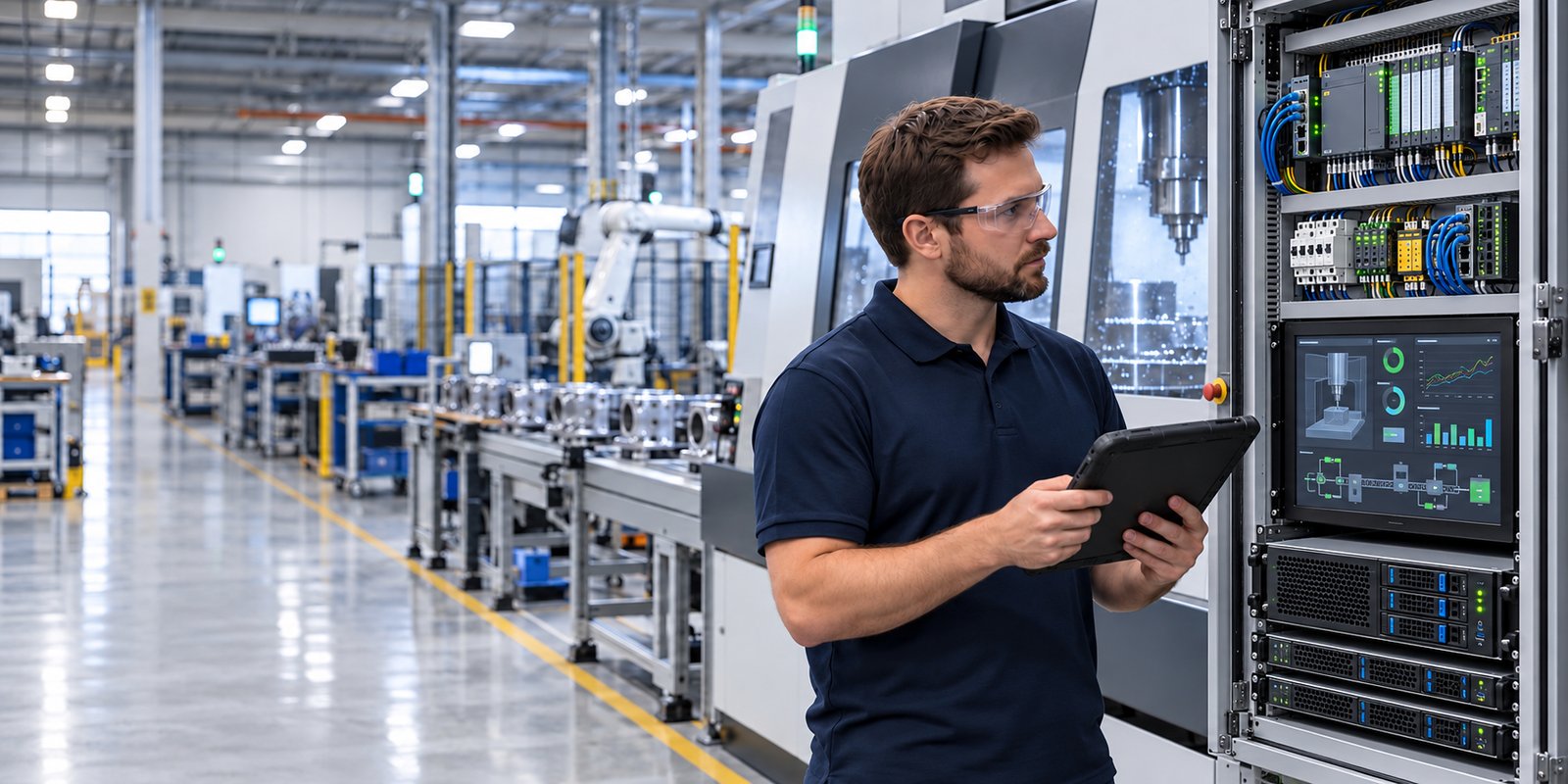
The short answer: IT (information technology) runs business data and communication: computers, networks, email, and applications such as the ERP. OT (operational technology) runs the physical process: machines, controllers, sensors, and the software that directs them. Industrial IT is the practice of supporting both as one connected environment, with the priorities of the production floor, uptime and safety, shaping how the work is done.
IT and OT in Plain English
Think of IT as the systems that manage information about the business, and OT as the systems that make the product. A laptop, an email server, and your ERP are IT. A CNC controller, a programmable logic controller (PLC) running a packaging line, and the touchscreen an operator uses to start a batch are OT.
Both are technology, and both use networks, but they were built for different jobs by different vendors, and they are usually managed by different people. That is why they behave so differently in practice.
| Area | IT (Information Technology) | OT (Operational Technology) |
|---|---|---|
| Main purpose | Move, store, and protect business information | Control and monitor physical equipment and processes |
| Typical systems | Laptops, servers, email, cloud apps, ERP, Wi-Fi | CNC controllers, PLCs, HMIs, SCADA, sensors, machine-connected PCs |
| Top priority | Protecting data, then keeping systems available | Keeping equipment running safely, then protecting data |
| Equipment lifespan | Often three to five years | Often 10 to 30 years or longer |
| Updates and patching | Regular and frequently automatic | Infrequent, tested first, and scheduled around production |
| Impact of an outage | Lost productivity and inconvenience | Stopped production, scrap, missed shipments, and in some cases safety risk |
| Who usually manages it | An IT department or managed IT provider | Engineering, maintenance, controls staff, or the equipment vendor |
Why IT and OT Are Converging
Machines used to run alone. Today most are connected to the business network, and that connection is there for good reasons:
- Production data in the ERP. Quantities, scrap, and labor flow back to the business system so costing and scheduling use real numbers.
- Remote support. Equipment vendors and integrators troubleshoot machines remotely instead of traveling to the site.
- Quality and traceability. Customers expect records tying a finished part or lot back to the materials, machine, and operator behind it.
- Monitoring and maintenance. Connected machines report status and warning signs before they fail.
- Customer and contract requirements. Defense and OEM customers increasingly ask how manufacturers protect the systems that produce their parts.
Convergence brings real benefits and one real cost. When systems share a network, a problem on one side can reach the other: a compromised office laptop can become a path to a machine controller, and a misbehaving machine can slow the business network. Convergence works well when the connection between the two sides is designed deliberately, not when it simply happens over time.
How the Layers Fit Together
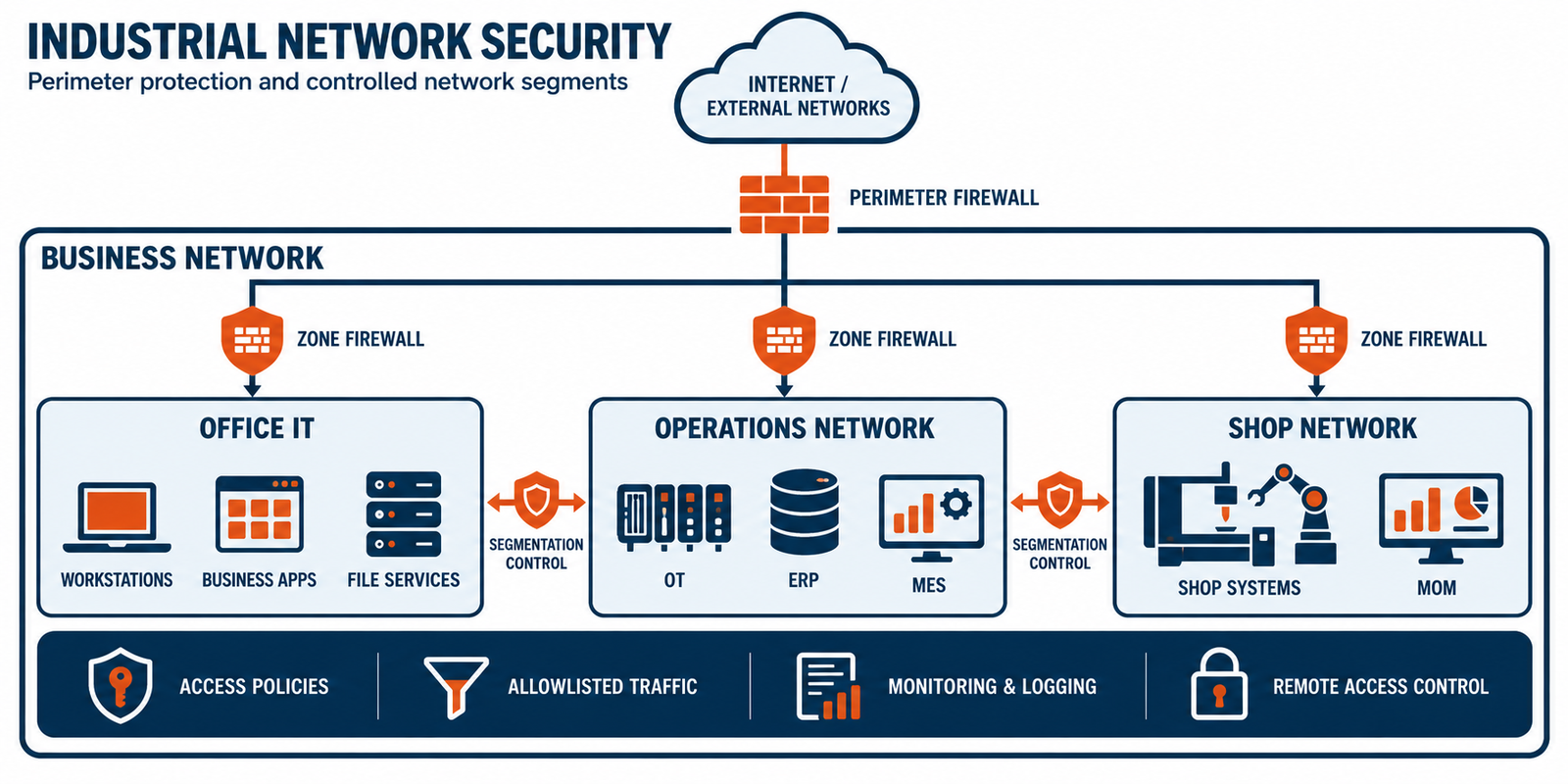
It helps to picture a plant as a stack of layers, an idea often described using the Purdue model. Business systems sit at the top. Machines and sensors sit at the bottom. Each layer depends on the one below it for data and the one above it for instructions.
| Layer | What lives here | Typical systems | Often owned by |
|---|---|---|---|
| Business systems | Orders, purchasing, inventory, finance, email | ERP, file servers, Microsoft 365 | IT |
| Operations management | Work orders, scheduling, quality, traceability | MES or MOM software, quality systems | IT and operations together |
| Supervisory control | Monitoring and operator interfaces across the plant | HMIs, SCADA, data historians | Operations or engineering |
| Control | The logic that runs each machine or line | PLCs, CNC controllers, drives | Controls engineering or the equipment vendor |
| Machines and sensors | The physical process itself | Machine tools, robots, sensors, actuators | Maintenance and engineering |
ERP-to-MOM bridging
The most common place IT and OT meet is the link between the ERP and the manufacturing operations management (MOM) or manufacturing execution system (MES) layer. The ERP knows what was sold, what to buy, and what is in inventory. The MOM or MES knows what is actually being built right now.
The bridge passes work orders and schedules down to the floor, and passes actual quantities, scrap, labor, and status back up. When it works, planners and supervisors see the same numbers. When it is unreliable, people fall back on manual re-entry and spreadsheets, and decisions get made on stale information.
Why the Priorities Are Different
In an office, the first question is usually "is our data protected?" On a production floor, the first question is "is the line running, and is it safe?" Both questions matter everywhere, but the order is different, and that changes how technology is managed.
Uptime-critical operations. Rebooting an office server at lunch is an inconvenience. Rebooting a system that feeds a running production line can scrap a batch or stop shipments. Work on production systems has to be planned around shifts, runs, and approved maintenance windows.
The patching problem. Office computers are patched often. Many shop-floor systems cannot be. A machine vendor may certify only one software version, an update may stop the equipment from working, and some devices cannot run security software at all. Instead of patching alone, protection shifts toward the network: separating machines from the office network, limiting what can talk to them, monitoring the traffic, and keeping reliable backups.
Long lifespans. A machine tool can outlast several generations of office computers. It is common to find a perfectly good machine controlled by a Windows XP or older terminal, because replacing it costs far more than the machine's value to the business. These systems need a plan, not just a replacement date.
Where IT and OT Environments Commonly Go Wrong
- Flat networks. Office PCs, guest Wi-Fi, and machines share one network, so a single infected laptop can reach a controller.
- Unsupported legacy systems left unmanaged. Old terminals tied to machines are forgotten because they still work, and nobody owns their risk.
- Open remote access. Vendor connections that are always on, use shared passwords, or are not logged.
- ERP and shop floor out of sync. Manual re-keying and spreadsheets act as the bridge, so errors and delays creep in.
- Backups that stop at the file server. Machine programs, controller configurations, and shop-floor PC images are not captured, or a restore has never been tested.
- No owner for the gap. IT assumes engineering handles the machines, and engineering assumes IT handles the network, so the connection between them belongs to no one.
Security and Compliance Standards in Plain English
Several frameworks come up in manufacturing. Some are certifications or assessments, and others are guidance. Which ones apply to you depends on your customers and contracts.
| Standard | What it is | Who it matters to |
|---|---|---|
| CMMC | A U.S. Department of Defense program that verifies contractors protect sensitive defense information. Its Level 2 requirements are based on NIST SP 800-171. | Manufacturers in the defense supply chain |
| NIST SP 800-171 | Security requirements for protecting controlled unclassified information on contractor systems. | Defense and federal contractors and their suppliers |
| NIST SP 800-82 | Federal guidance on securing operational technology and industrial control systems. It is guidance, not a certification. | Anyone running industrial control systems |
| IEC 62443 | An international series of standards for securing industrial automation and control systems. | Manufacturers, and the vendors who build equipment and control systems |
| ISO/IEC 27001 | An international standard for managing information security across an organization, with formal certification available. | Organizations whose customers ask for certified security management |
How This Looks in Different Facilities
The same ideas play out differently depending on what you make and how you make it.
CNC Machining
The most valuable assets are the part programs and machine configurations. Controllers often run older operating systems and receive files over shared folders or USB drives. Key questions: where are programs stored, who can change them, and can a controller be restored after a failure?
Food Processing
Production runs on tight schedules and wash-down windows, and records matter: lot traceability, labeling, and audit documentation. The systems that print labels and record batches must be available and accurate, and changes have to fit between shifts.
Assembly Lines
Many small endpoints keep a line moving: line-side terminals, scanners, label printers, and work instruction displays. One station going offline can hold up the whole line, so fast diagnosis and standardized replacement matter more than any single device.
Questions to Ask About Your Own Environment
You do not need to be an engineer to find the gaps. These questions are a useful starting point for any manufacturer, whoever supports your technology:
- Do we have a current inventory of every device on the production network, including machine PCs and controllers?
- Are office systems and machine systems on separate network segments, and what is allowed to cross between them?
- Which shop-floor systems run operating systems that are no longer supported, and what is the plan for each?
- Who has remote access to our machines, and how is it controlled and logged?
- Are machine programs, controller configurations, and shop-floor PC images backed up, and have we ever tested a restore?
- How long can each production system be down before it affects shipments?
- When the ERP and the shop floor disagree, who finds out first, and how?
- Who is responsible for the space between IT and engineering?
If several of these are hard to answer, that is useful information. It usually points to the one or two areas worth fixing first.
Glossary
| Term | Meaning |
|---|---|
| ERP | Enterprise resource planning: software for orders, purchasing, inventory, and finance. |
| MES / MOM | Manufacturing execution system / manufacturing operations management: software that tracks and manages production as it happens on the floor. |
| PLC | Programmable logic controller: a ruggedized computer that controls a machine or process. |
| HMI | Human-machine interface: the screen operators use to monitor and control equipment. |
| SCADA | Supervisory control and data acquisition: software that monitors and controls equipment across a plant, often from a central point. |
| CNC | Computer numerical control: machine tools driven by programmed instructions. |
| Network segmentation | Dividing a network into separate zones so that traffic between them can be controlled. |
Frequently Asked Questions
What is the difference between IT and OT?
IT handles business information such as computers, networks, email, and applications like the ERP. OT handles the equipment and processes on the production floor, such as CNC machines, PLCs, and sensors. IT usually prioritizes protecting data, while OT prioritizes keeping equipment running safely and without interruption.
What is industrial IT?
Industrial IT is the practice of supporting business systems and shop-floor systems as one connected environment. It applies IT skills such as networking, security, and backup, but adapts them to the needs of production, including tight uptime requirements, long equipment lifespans, and scheduled change windows.
What is IT/OT convergence?
IT/OT convergence is the growing connection between business networks and production equipment so that data can flow between them, for example from the shop floor to the ERP. It brings better visibility and efficiency, but it also means a problem or cyber threat on one side can reach the other if the connection is not designed and managed carefully.
Why can't machine controllers and shop-floor PCs be patched like office computers?
Many are tied to specific software versions certified by the equipment vendor, an update can stop a machine from working, and applying it may require taking production down. Because of this, patching is often scheduled, tested first, or supported by other protections such as network segmentation and access controls.
What is the difference between an ERP and an MES or MOM system?
An ERP manages business-level information such as orders, purchasing, inventory, and finances. An MES or MOM system manages production as it happens, including work orders, status, quality, and traceability. The two exchange data so that planning and actual production stay in sync.
Which standards apply to securing a manufacturing environment?
It depends on your customers and contracts. Defense suppliers often need to meet CMMC and NIST SP 800-171. NIST SP 800-82 and IEC 62443 provide guidance specific to industrial control systems, and ISO/IEC 27001 is a general information security management standard that some customers require.
How INFORTECH Supports IT and OT Environments
INFORTECH supports manufacturers across Silicon Valley and the Bay Area with industrial IT services: monitoring, security, backup and recovery, and modernization planning designed around production schedules. Learn more about IT Support & Infrastructure Management, LevelDefense Managed Cyber Security, and Consulting Services.
If you would like a second opinion on how your IT and shop floor connect, we are glad to talk it through. Call 800-741-8530 or book a discovery call.